> For the complete documentation index, see [llms.txt](https://docs.mosofin.com/llms.txt). Markdown versions of documentation pages are available by appending `.md` to page URLs; this page is available as [Markdown](https://docs.mosofin.com/start-here/readme.md).
# What is MosoFin?
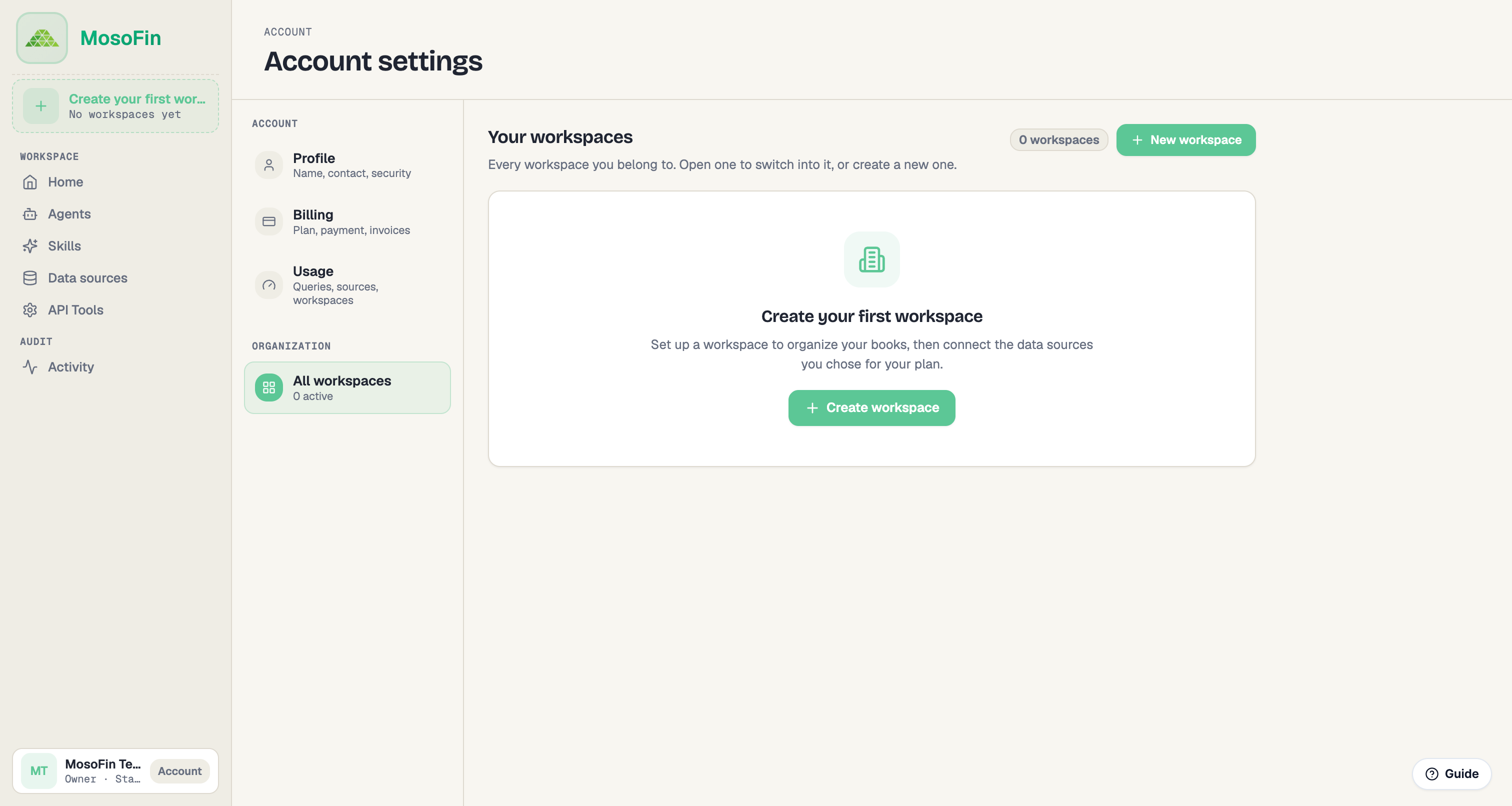
MosoFin helps bookkeepers, accountants, and fractional CFOs review financial data for multiple clients through separate workspaces. Each workspace keeps its authorized data sources, permissions, agents, reusable skills, and audit history together. You can authorize up to five QuickBooks entities from the QuickBooks source type in each workspace, and every new workspace has its own separate five-entity allowance.
MosoFin is designed to work with Claude. After connecting MosoFin to Claude, you can choose a client workspace and ask plain-language questions about profit, cash, margins, invoices, bills, or unusual changes. MosoFin reads the selected source on demand and returns the result in the conversation.
 ## What MosoFin offers
* **Separate client workspaces:** Keep each client or group of related entities isolated with its own financial data connections and activity history.
* **Bea, the finance agent:** Bea uses the tools allowed for the workspace to help inspect accounting data and answer finance questions.
* **Reusable skills:** Save repeatable review methods, such as pre-close checks, variance reviews, and client explanations.
* **Tool-level controls:** Set each financial data tool to Enabled, Require permission, or Disabled.
* **Read-only access:** MosoFin reads connected financial data and does not write changes back to the books.
* **Audit history:** Review tool calls and permission changes in the workspace Activity log.
> **Note:** MosoFin supports review and analysis. It does not replace your accounting system, professional judgment, or final review before information is shared with a client.
## The basic workflow
1. Sign in and create or choose a workspace.
2. Connect the workspace's financial data source.
3. Review the available agents and API tool permissions.
4. Connect MosoFin in Claude and select the correct workspace.
5. Ask a question or run a reusable skill.
6. Review the Activity log when you need traceability.
Start with the [Quickstart](/start-here/quickstart.md), or open the [feature overview](/product-guide/mosofin-features-and-limits.md) for a tour of the signed-in app.
Learn more on the [MosoFin website](https://www.mosofin.com/), including [Agents](https://www.mosofin.com/agents), [Claude](https://www.mosofin.com/claude), and [Security](https://www.mosofin.com/security).
---
# Agent Instructions
This documentation is published with GitBook. GitBook is the documentation platform designed so that both humans and AI agents can read, navigate, and reason over technical content effectively. Learn more at gitbook.com.
## Querying This Documentation
If you need additional information that is not directly available in this page, you can query the documentation dynamically by asking a question.
Perform an HTTP GET request on the current page URL with the `ask` query parameter, and the optional `goal` query parameter:
```
GET https://docs.mosofin.com/start-here/readme.md?ask=&goal=
```
`ask` is the immediate question: it should be specific, self-contained, and written in natural language.
`goal` is optional and describes the broader end goal you are ultimately trying to accomplish on behalf of the user. GitBook uses it to tailor the answer towards what is most useful for that goal.
The response will contain a direct answer to the question and relevant excerpts and sources from the documentation.
Use this mechanism when the answer is not explicitly present in the current page, you need clarification or additional context, or you want to retrieve related documentation sections.
## What MosoFin offers
* **Separate client workspaces:** Keep each client or group of related entities isolated with its own financial data connections and activity history.
* **Bea, the finance agent:** Bea uses the tools allowed for the workspace to help inspect accounting data and answer finance questions.
* **Reusable skills:** Save repeatable review methods, such as pre-close checks, variance reviews, and client explanations.
* **Tool-level controls:** Set each financial data tool to Enabled, Require permission, or Disabled.
* **Read-only access:** MosoFin reads connected financial data and does not write changes back to the books.
* **Audit history:** Review tool calls and permission changes in the workspace Activity log.
> **Note:** MosoFin supports review and analysis. It does not replace your accounting system, professional judgment, or final review before information is shared with a client.
## The basic workflow
1. Sign in and create or choose a workspace.
2. Connect the workspace's financial data source.
3. Review the available agents and API tool permissions.
4. Connect MosoFin in Claude and select the correct workspace.
5. Ask a question or run a reusable skill.
6. Review the Activity log when you need traceability.
Start with the [Quickstart](/start-here/quickstart.md), or open the [feature overview](/product-guide/mosofin-features-and-limits.md) for a tour of the signed-in app.
Learn more on the [MosoFin website](https://www.mosofin.com/), including [Agents](https://www.mosofin.com/agents), [Claude](https://www.mosofin.com/claude), and [Security](https://www.mosofin.com/security).
---
# Agent Instructions
This documentation is published with GitBook. GitBook is the documentation platform designed so that both humans and AI agents can read, navigate, and reason over technical content effectively. Learn more at gitbook.com.
## Querying This Documentation
If you need additional information that is not directly available in this page, you can query the documentation dynamically by asking a question.
Perform an HTTP GET request on the current page URL with the `ask` query parameter, and the optional `goal` query parameter:
```
GET https://docs.mosofin.com/start-here/readme.md?ask=&goal=
```
`ask` is the immediate question: it should be specific, self-contained, and written in natural language.
`goal` is optional and describes the broader end goal you are ultimately trying to accomplish on behalf of the user. GitBook uses it to tailor the answer towards what is most useful for that goal.
The response will contain a direct answer to the question and relevant excerpts and sources from the documentation.
Use this mechanism when the answer is not explicitly present in the current page, you need clarification or additional context, or you want to retrieve related documentation sections.